Time Spent
Total hours across all days — top 30 activities
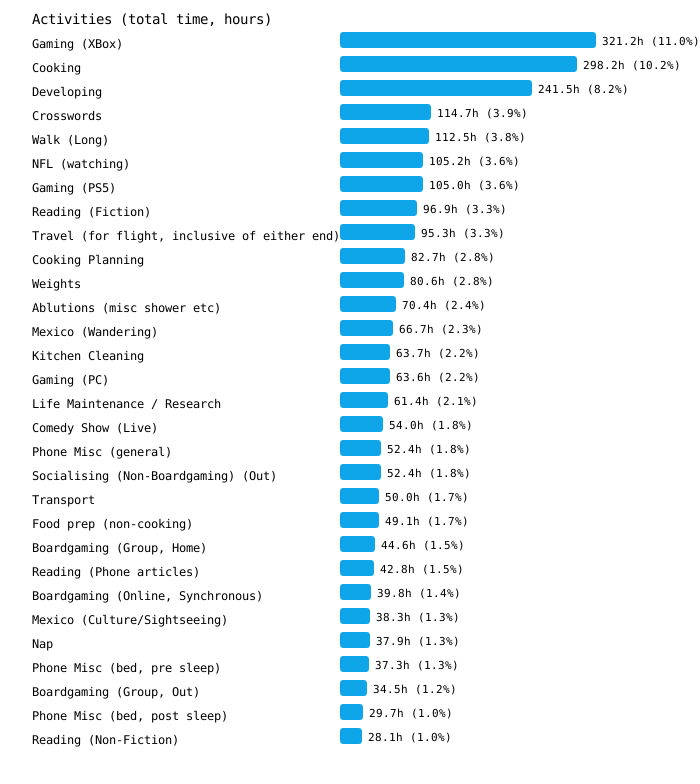
71 unique activities tracked overall (2,928 total occurrences)
Tap a chart to preview; use the arrows or filter to jump around.
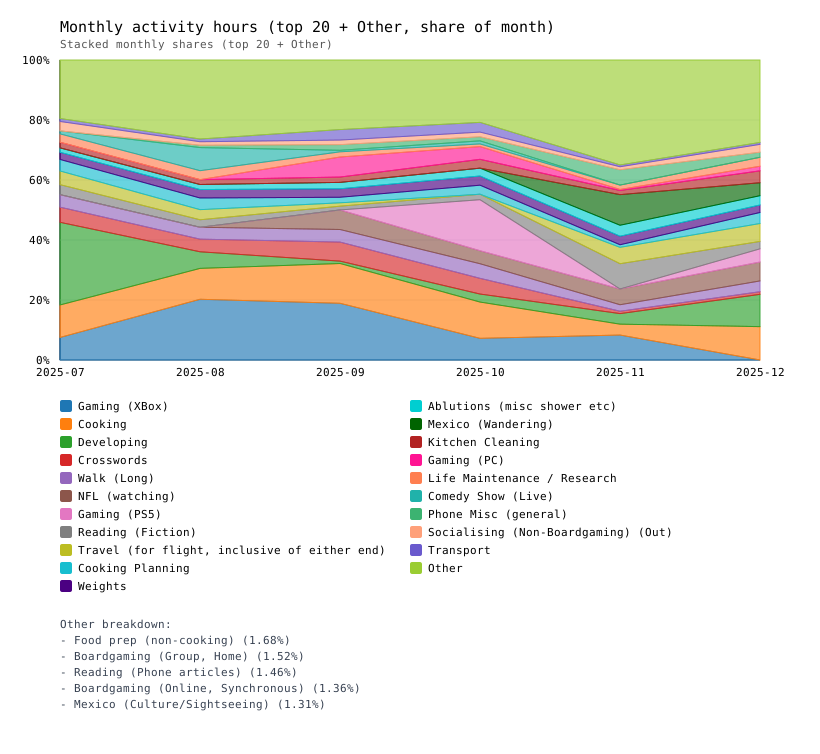
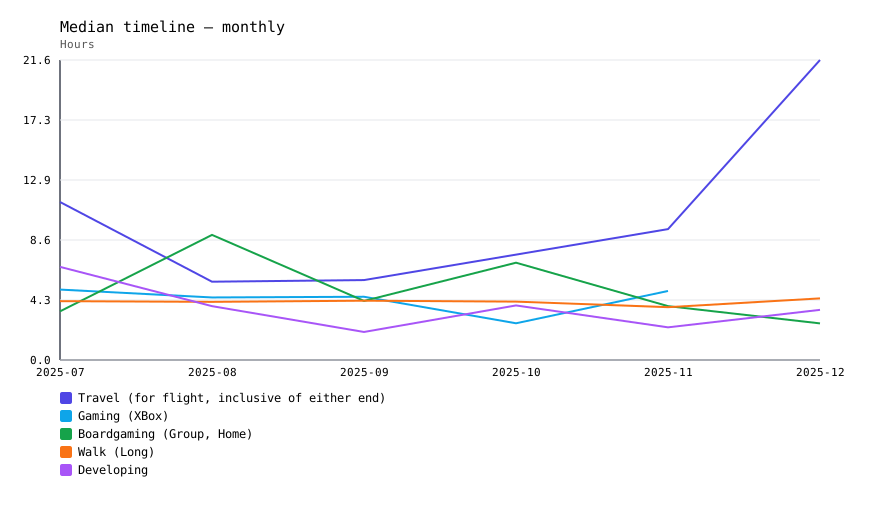
Charts highlight the top 30 activities (stacked monthly view shows the top 20 plus Other) and now include median-duration views, daily unique-count distributions, a time-of-day heatmap, and a monthly timeline for the Top 5. Use the counts table for the complete list.
Total hours across all days — top 30 activities
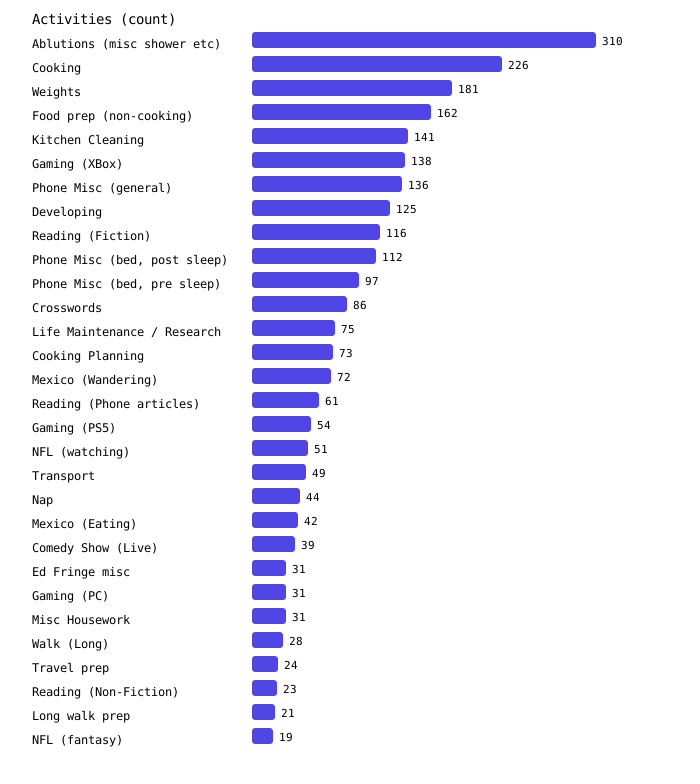
Raw activity counts (occurrences in the timeline) — top 30 activities
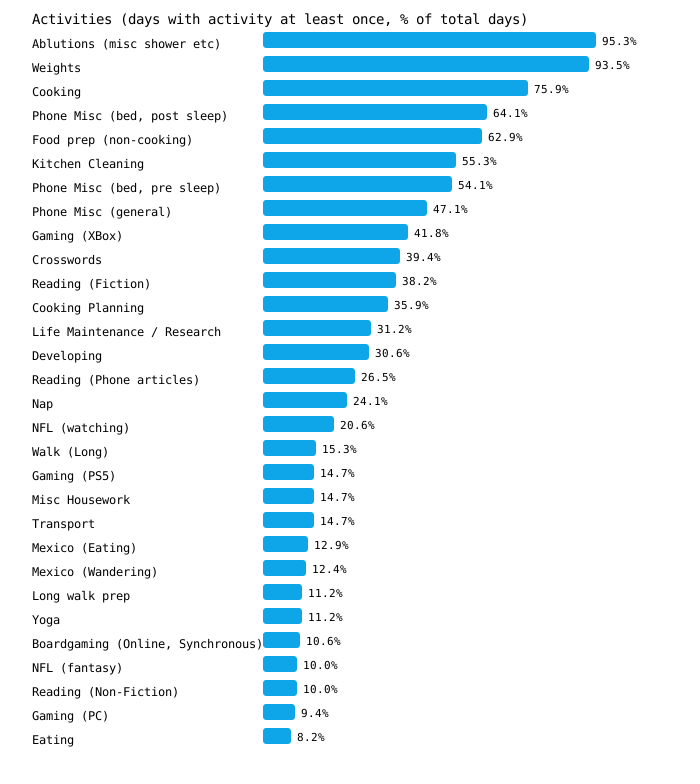
Percentage of days where the activity appears at least once — top 30 activities
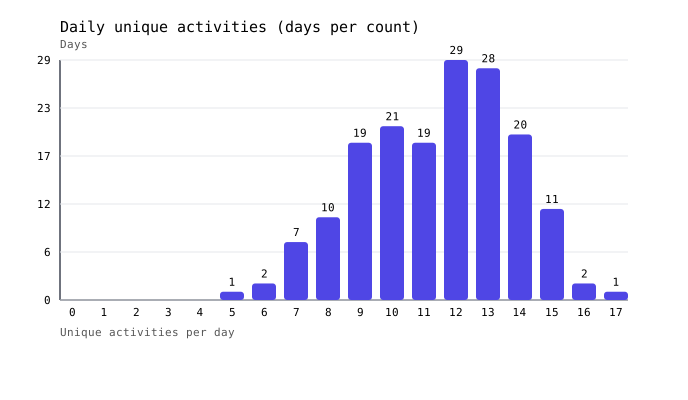
Distribution of distinct activities per covered day — full days only
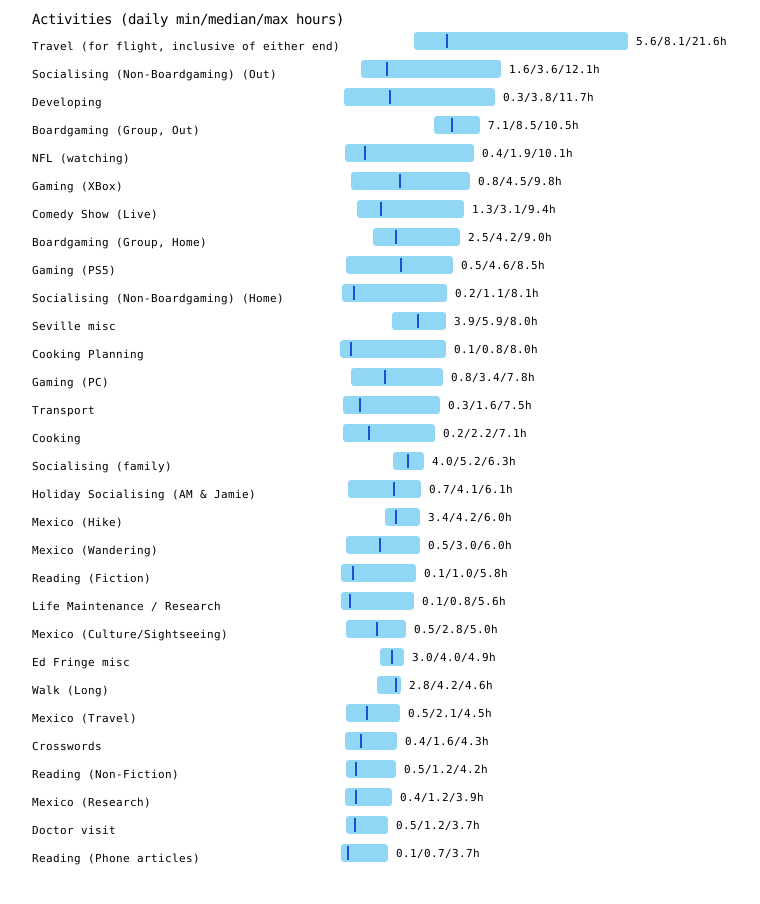
Min, median, and max hours per day for each activity so you can assess variability — top 30 activities (by max)
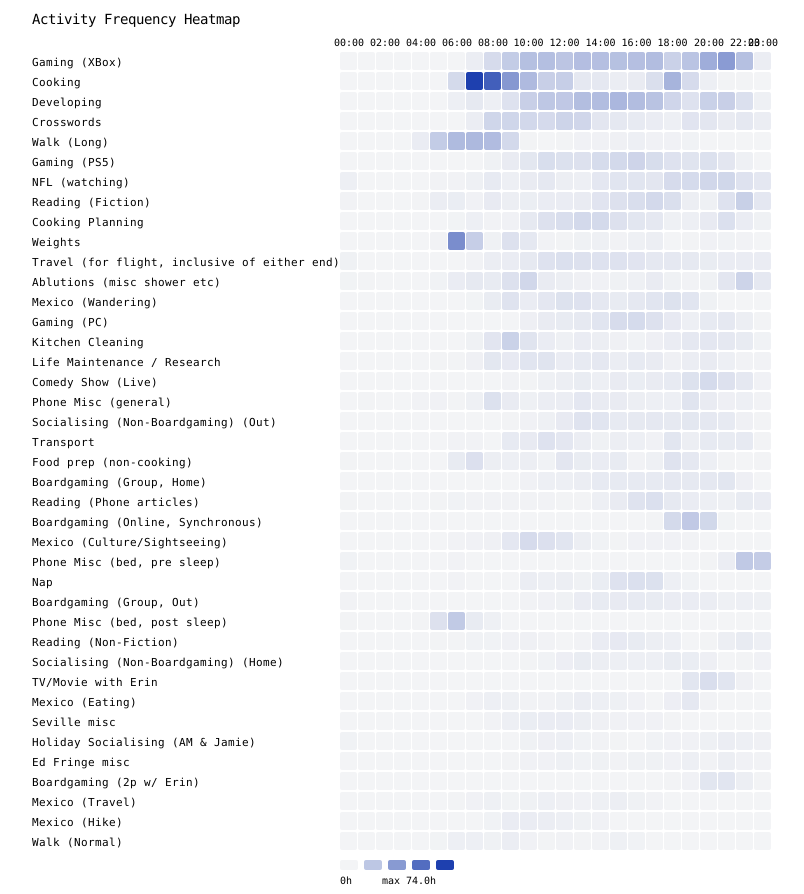
Per-activity clock-time intensity (each row normalized to its max) — 60-minute bins, top 40 activities

Total hours by clock time (global scale across activities) — 60-minute bins, top 40 activities
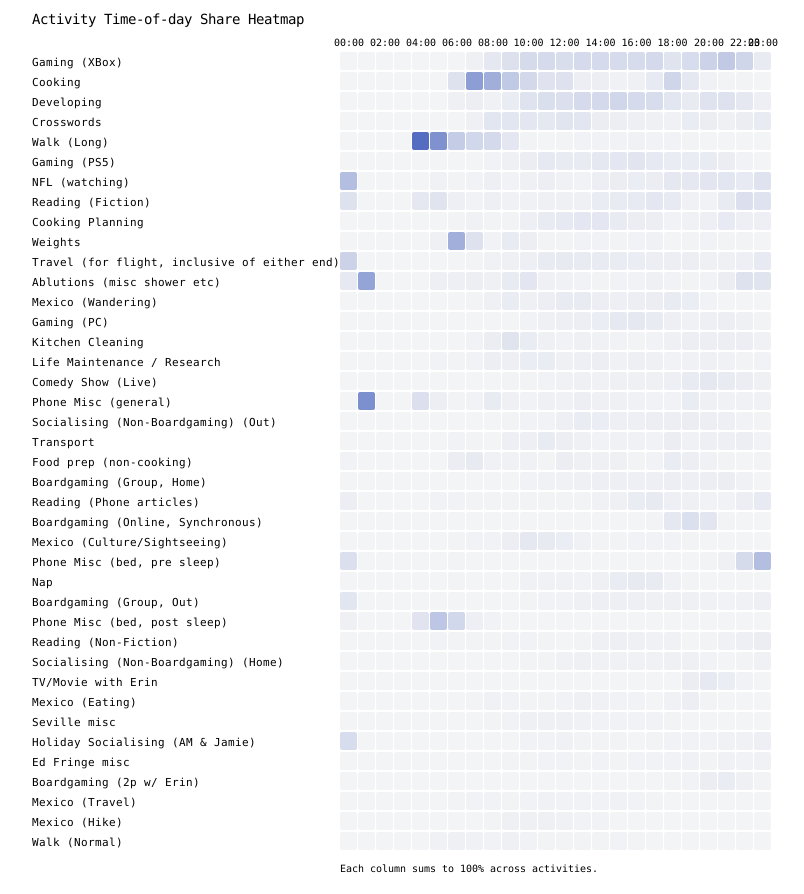
Share of each time block (each column sums to 100%) — 60-minute bins, top 40 activities
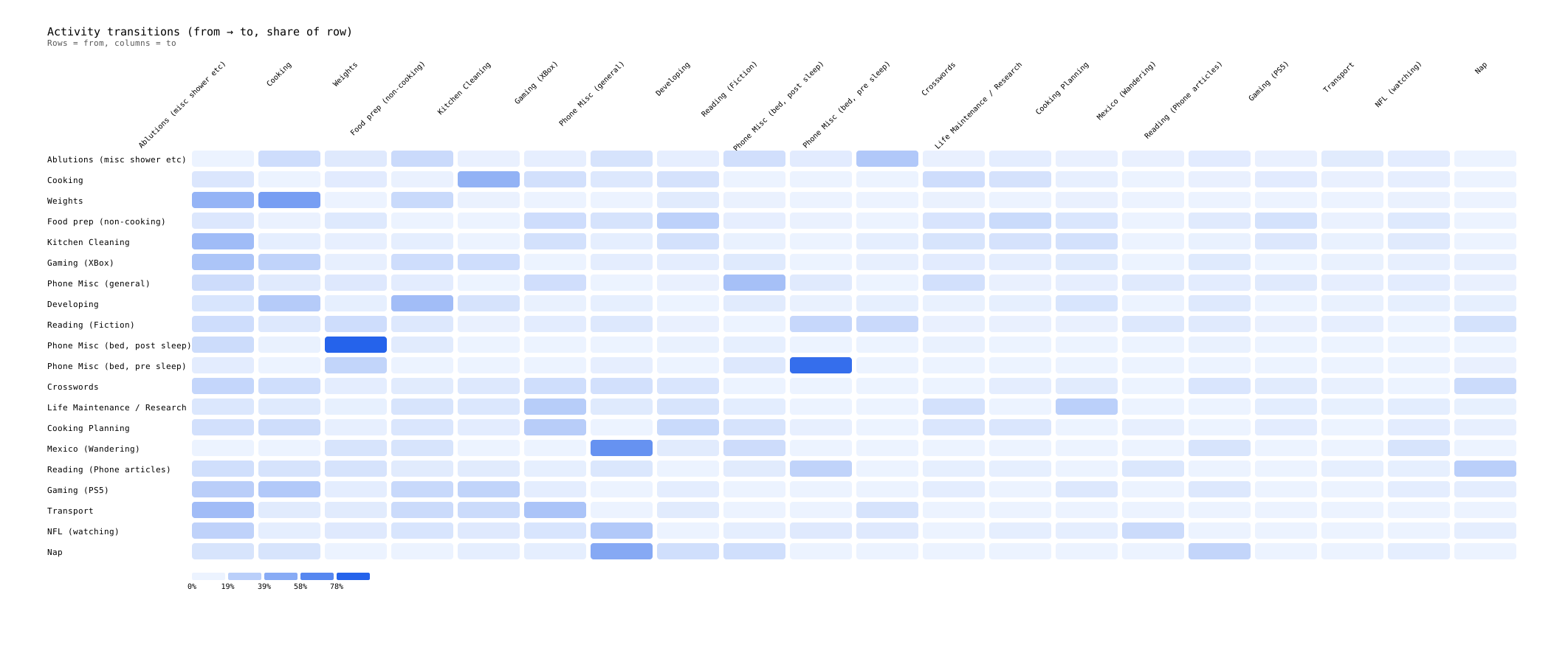
Share of transitions from each activity to others (per-row percentages; top 20 activities shown). — self-transitions excluded; rows may sum under 100% if targets are outside the top 20
Share of monthly hours for the top 20 activities (stacked area) — top 20 activities (plus Other)
Monthly median daily hours for the top 5 activities present in at least 3 of the last 5 months — top 5 activities (by median daily hours)
No charts match that filter.
Tip: click or tap a chart to browse; use the arrow keys or buttons to move between charts, and tap outside the window or press Escape/back to close.